
Key
Points/Main Idea/Connections:
When I do
trainings for teachers, I always emphasize that their Orton-Gillingham lessons
have to include both reading and spelling elements. Remediation begins at the tip of a pencil,
and one cannot become a proficient decoder without becoming a proficient
speller. The same is true of
comprehension and writing; they go hand in hand. And while the skills are inherently
different, we find they intersect quite frequently.
As I read
Chapter 1 from Multimedia text sets: Changing the shape of engagement and
learning, I couldn’t stop thinking about
these pairings. There are five semiotic
systems and the chapter focuses on literacy, the use of oral and written
language such as vocabulary, grammar, and discussion (Strop & Carlson,
2011, p. 10). Within this area, the
authors look at the “Four Resources Model – four reader ‘roles’ representing a
set of practices that support learners as they engage in reading and writing” –
and how these roles can be implemented with multimedia text sets (MTS) (Strop
& Carlson, 2011, p. 12). The four
roles – code breakers, meaning makers, text users, text critics – are used as
intersection points for how we instruct students and ask them to respond to
that learning. What I found is that code
breakers approach writing, discussion, vocabulary, intertextual connections,
engagement, and reading practices by recognizing patterns. Meaning makers approach those six
instructional dispositions as understanding the semantics in relation to
background knowledge. Text users find purpose and function in a text, and
finally, text critics analyze those texts for various perspectives. While these roles do vary, they can all be
supported and connected through multimedia.
The National Council of Teachers of
English’s (NCTE) position statement on multimodal literacies helps make these
connections. “Because of the complexity
of multimodal projects and the different levels of skill and sensitivity each individual
brings to their execution, such projects often demand high levels of
collaboration and teamwork” (NCTE, 2005).
Also, multimodalities allow for various ways to acquire, organize,
evaluate and creatively respond to texts that weren’t available 15 years ago.
In addition, “The ‘definitions’ of multimodal composing may be written by
educators, but they will most likely have first been pioneered by these young
people” (NCTE, 2005). This means that
students, regardless of their role, may find traditional school instruction
unrelated to their lives. And the point
that most hit home for me, was that digital tools give more responsibility to
the students for all aspects of expression.
Students become not only the ones that generate the work, but the publishers
and distributers as well.
The reason I related so strongly to
the last position is that, as teachers, we can fully assess a student’s
learning when they are in complete control of the assignment. I am not only evaluating their work for
patterns of facts and information (like code breakers), but also their critical
thinking and problem solving (like text critics). Multimodalities incorporate the activity of produsage in the
classroom. Children are the producers,
consumers and users of text. To assess or students in this way also ensures that we are staying true to the analogy I began my post with - comprehension and expression go hand in hand. If we use various forms of digital literacy, visual literacy, video literacy, and others to instruct or students, then it is only appropriate to use the same in the assessment of their learning.
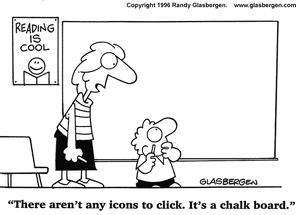
Below are some funny comics I found
showing the different ways technology and mutlimediating are viewed in the
classroom.


Ideas for
the classroom:
I was so
excited to see a link to Troy Hicks’s blog! I have read his book Crafting digital writing; Composing texts
across media and genres and got so many good ideas. His blog was no different!
These all
come from or relate to Troy Hicks’s blog -
1) Under
“Exemplary Middle School Digital Writing” I found a link to Animoto.
Hicks highlighted this as a way to make a digital book trailer, but I
could see using this for many different projects. Unlike iMovie, which takes a
ton of practice to use efficiently, Animoto seems like an easer application for
movie making. Plus, you don’t have to have a MAC. I also feel like it highlights the final
position NCTE stated, and students really can take over the whole process.
2) Hicks
includes links to author studies. I
checked out one on Gordon Kormon
which used Google Sites. I totally think my students could create, plan,
design, and add to a website with this simple set up. I think I would use the website for
collaborative projects about the reading group book we are working on in
class. I am envisions taking lit circles
digital.
3) And
then under High School examples of digital writing, I couldn’t help but smile
when looking at “Multigenre Digital Essay: The
Internet.” Don’t laugh, but even
though I have used hyperlinks all throughout grad school, I haven’t incorporated
it in my classroom yet. Believe me,
2015-16 school year will see a definite inclusion of this multimodality in my
Language Arts curriculum!
References:
Hicks, T.
(2015). “Digital Writing Gallery.” The
Digital Writing Workshop. Retrieved from: http://digitalwritingworkshop.wikispaces.com/Digital+Writing+Gallery
NCTE
(2005). Position Statement on Multimodal Literacies. Retrieved from: http://www.ncte.org/positions/statements/multimodalliteracies
Strop, J. & Carlson, J. (2011). Multimedia text sets: Changing the shape of
engagement and learning. Portage & Maine Press.

"Children are the producers, consumers and users of text.” -- I LOVE this. I think it’s so important for students to feel empowered by learning rather than bogged down by all the ‘busy-work.’ I definitely think technology is one way to help them understand how learning can be empowering as they take over the production process, better understand the consumerism aspects, and use technology for their own advocacy. When you have students creating and problem-solving, they definitely have more power in the classroom than if we have them memorizing our lecture. I think Multimedia Text Sets did a really great job of breaking this process down for each area.
ReplyDeleteAlso, I love Animoto! It can definitely be used for Digital Stories, PSAs, visual poems, book trailers, and more! It’s so user-friendly, one of my favorite tools!