
Key Points/Main Ideas/Connections
After reading “Teaching young readers to navigate a digital story when rules keep changing,” “Learning to read, one tap at a time,” and evaluating Intervention programs; One minute reader iPad app, I was encouraged to find that many of the same skills and strategies needed to instruct and assess early literacy are similar between digital and traditional print. But vary in approach. So the phrase “when things are the same but not the same” really embodies the connection between the digital and the print world (Javorsky & Trainin, 2014, p. 609).
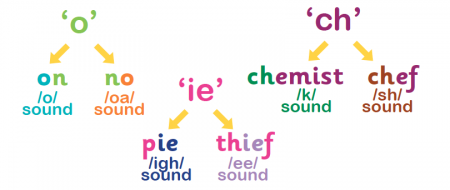
In their article, Javorsky and Trainin (2014), highlight how young readers need to navigate digital stories. The main point they make is that digital stories do not follow consistent patterns as print books do. Depending on the type of e-reader used, students may encounter different types of icons for example. “The ambiguity should not be considered a problem; instead, it should be considered an opportunity to engage in cognitive flexibility as an important part of using technology” (Javorsky & Trainin, 2014, p. 614). It is as if deciphering icons is a new form of decoding. When emergent readers encounter consonants in words, they are fairly regular in the sounds they make. However, vowels make various sounds depending on the phonetic environment. Think about the difference between the a in can and cane. Students need to have flexibility here just as they do with technology. In a way, icons are the graphemes of technology.

The authors also provide strategies to teach students this flexibility. Many of these are the same strategies educators use to teach early literacy. Examples like think-alouds, conversations, informal assessments, and making text-to-text connections are all key components to a balanced literacy approached. I also think Table 3 (recreated here) demonstrates that the skills, as noted in the descriptions column, are consistent while the approach of the student from paper to digital does vary.
Table 3 (Javorsky & Trainin, 2014, p. 610)
Significant Differences Between Paper-Based and Mobile Digital Stories
Description
|
With a paper-based text
|
With a mobile device
|
Starting a story
|
Locate front of the book and open the cover
|
Activate the device, adjust volume, make on- screen selections, and activate story application
|
Re-reading a story from the beginning
|
Close the book and reopen it
|
May need to use an icon, navigate a settings menu, “swipe” repeatedly until reaching the first screen, or close the application and reopen it
|
Turning pages
|
Learn to hold paper corners and turn from right to left
|
Recognize a “virtual page” on the screen has turned from right to left or has flipped over from the bottom to the top or because the text, the illustration, or both suddenly changed
|
Maintaining a sense of place
|
Reader enters and stays within the story
|
Reader can unknowingly leave the story through external links embedded in the mobile app
|
Receiving sensory input
|
Visuals
|
Frequently simultaneous input from visuals and auditory
|
Processing visual information
|
Static illustrations
|
Animated illustrations that may be automatic or reader-activated; text that may change size or be highlighted or underlined
|
Processing auditory information
|
Story could be read aloud by another person sitting with the child
|
Disembodied text narration presented automaticallyorwhenuser-activated;background music or sound effects that typically connect to illustrations
|
Option to read aloud
|
hild may ask another person sitting with them to read the book aloud
|
May have choice to activate narration option by using an icon or a settings menu or by touching speech bubbles on screen
|
Visually matching narration to the text
|
Physical finger pointing that is initiated by the person who is reading or by the child who is listening
|
Text may be automatically highlighted or underlined while audio plays; this match may be illustrated word for word, sentence by sentence, or page by page.
|
Also, I have used the Read Naturally Program before, and was excited to see a digital platform version to assess fluency. The “Benefits” and “How it Works” tabs outline similar features to the print version. But, underneath the “What’s included” tab, I found audio recordings, computerized graphing capabilities and online game availability. The “How To” tab is also a wonderful addition for students who get home and can’t remember what they are supposed to do. Parents can quickly look up each activity. But, again the strategies and skills are the same just approached in a way that includes digital literacy and multimodality.
Ideas for the Classroom
The big take away for me from the readings is that educators do not have to put off using digital literacies until children are older. We can assess our youngest students’ early literacy skills through the digital world. But, we need to aware of how these skills will look and be approached differently.
Because I work with 6th graders, the ideas below are geared more towards my tutoring sessions than the actual classroom.
1) Find decodable texts on e-readers so that students may practice both the cognitive process of reading as well as the physical manipulation of technology.
2) Record students reading aloud multiple times and have them compare the strengths and weaknesses of their own fluency.
And one for my big kids -
3) Have students create a digital dictionary of icons and their functions for various digital platforms used in our classroom like Edmodo, Google Docs, and Learning Ally.
References:
Javorsky, K., & Trainin, G. (2014). Teaching young readers to navigate a digital story when rules keep changing. The Reading Teacher, 67(8), 606–618.
Read Naturally. (2015). Intervention programs; One minute reader iPad app Retrieved from: http://www.readnaturally.com/product/one-minute-reader#custom242
Wohlwend, K. (2014, August 8, 2014). Learning to read, one tap at a time. Retrieved from: http://e339blog.blogspot.com/2014/08/0-0-1-234-1337-indiana-university-11-3.html

Hi Josie,
ReplyDeleteI enjoyed reading your thoughts about teaching young readers to read digitally. I think we are in an interesting time because our current students need both the skills of reading traditional print, as well as digital print. The great news, like you said, is that many of the same skills are needed for both types of readings. However, there definitely are different skills that are needed for each, and lving in the 21st Century, it is critical that our students learn to read in both forms. You made such an insightful comment about our students needing flexibility in reading both traditional print and digital print. I have never thought of icons as the graphemes of technology, but it makes perfect sense! Like you said, I can vouch for the fact that it is never too early for students to be using technology. Sometimes in Kindergarten, I am hesitant to give my students iPads because I worry about some things being too difficult or complicated for them. However, once I give the students background knowledge and guidance with the app or program we are using, they do even more than I ever expect. I once heard that technology is like a language. Because our students have been living fluently in this language for their entire lifetimes, they can understand more than we can, as we are language learners in the subject of technology.
-Caroline